
Accessibility wasn’t something we wanted to add at the end of the process.
It was part of the conversation from the beginning.
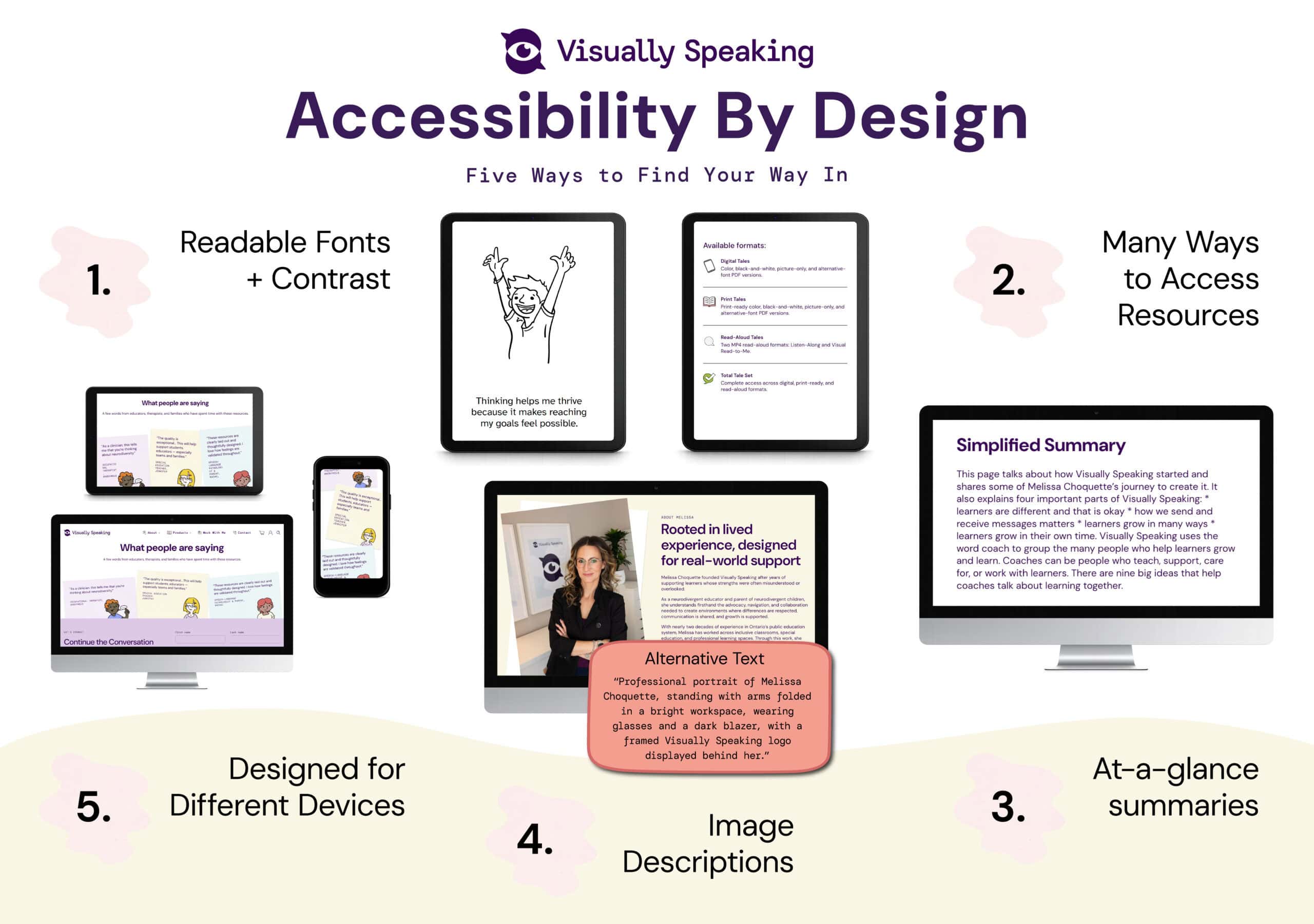
At Visually Speaking, we recognize that people access information in different ways. Some readers appreciate a quick overview before diving deeper. Others benefit from image descriptions, strong contrast, multiple formats, or the flexibility to move between devices throughout their day.
Accessibility is not a finished destination. It is an ongoing practice of listening, learning, adapting, and improving.
Throughout the website and resource library, accessibility is built into the process—not added at the end.
Accessibility Features You May Notice
At-a-Glance Summaries
Many pages include brief summaries that provide an overview before moving into more detailed information.
These summaries are designed to help readers decide where they would like to spend their attention and to make key ideas easier to access.
As part of our accessibility process, pages are reviewed for readability. When content reaches a reading level that may require more advanced language or longer explanations, a simplified summary is added to provide another way to find your way in.
Image Descriptions
Images throughout the website include descriptions that support screen readers and other assistive technologies by communicating visual information in words.
Unlike captions, which explain or add context, image descriptions focus on describing what is shown. As readers navigate a page using a screen reader, these descriptions help communicate important visual information so they can access the content in another way.
Image descriptions may include details about people, objects, settings, or other visual elements that contribute to meaning.
Readable Fonts + Contrast
Clear fonts and thoughtful color choices help make information easier to read.
Visually Speaking’s color palette was designed to reflect colours people encounter in everyday life while maintaining enough contrast to support readability. Colors are intentionally chosen to avoid unnecessary visual intensity while still preserving meaning and function.
Black line drawings and simple illustrations help important details stand out without overwhelming the page. Together, these design choices support readability and offer another way for people to find their way in.
Many Ways to Access Resources
Resources are available in multiple formats whenever possible, allowing learners and coaches to choose what works best for their preferences, devices, and situations.
For example, many Visually Speaking books are available in print and digital formats. Read-aloud versions include audio and video options, as well as listen-along recordings that are edited to support a clear and consistent listening experience.
Some resources also include picture-only versions and alternative fonts, such as Atkinson Hyperlegible, to support different visual preferences and reading needs.
Offering information in more than one format creates additional ways for people to find their way in.
Designed for Different Devices
The website adapts across phones, tablets, and computers so information remains clear and accessible in a variety of settings.
Whether someone is checking a resource on their phone, reading an article on a tablet, or exploring the website from a computer, the layout adjusts to support readability and navigation.
Different devices create different experiences. Responsive design helps people find their way in, wherever they happen to be.
Accessibility Terms You May Hear
Alt Text: A written description that helps communicate the purpose or content of an image.
Contrast: The difference between colors that helps text and images remain easier to see.
Responsive Design: A website layout that adjusts to different screen sizes and devices.
Multiple Formats: Offering information in different ways, such as print, digital, audio, or video.
Assistive Technology: Tools that help people access information and participate in ways that work for them.
Accessibility Is an Ongoing Conversation
Accessibility is not something that is ever truly finished.
As Visually Speaking continues to grow, accessibility will continue to be part of every design conversation. There will always be opportunities to learn, adapt, and improve.
Because learners thrive when the people supporting them are supported too, we believe access should be part of the conversation from the beginning.
Continue the Conversation
If you’d like to continue the conversation, these articles explore different ways to access and use resources.
Digital Access Tips
Learn about formats and ways to use digital resources
Audio + Video Access Tips
Explore read-aloud and listening options
Print Access Tips
Learn about printing settings and common terms